Even top-tier commercial laundry machines need attention from time to time, and error codes tend to occur at the least convenient time, like while you’re at home or traveling.
Wherever you are, the stakes are the same: lost turns, waiting customers and a machine that isn’t earning. The first step is figuring out what you’re dealing with. Is it a one-time glitch or a sign your commercial laundry equipment needs service? Can it wait until your next visit, or does it need a technician today?
With remote monitoring through laundromat technology like Speed Queen® Insights, you can answer many of those questions without being at your store.
Five Remote Triage Steps Before You Call for Service
Speed Queen Insights brings machine status, error tracking and remote start for your commercial laundry machines into the Owner Portal.
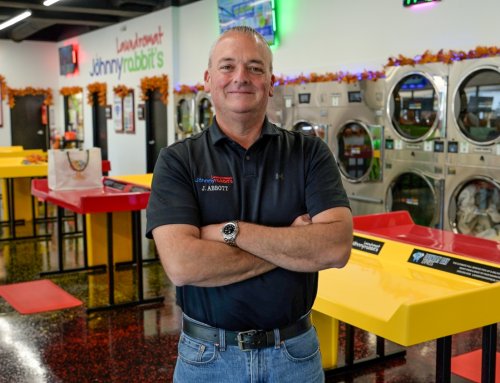
William Oh, owner of Suds R Us Laundromat in Downey, California, manages his store from 25 minutes away.
“I can do everything from my phone,” he said of Insights.
- Confirm the alert. Start with machine status. Is the error still active, or did it clear after a single cycle? Is one machine affected, or several? One washer showing one code is a very different situation than a row of machines going down together, which can point to a shared supply issue such as water, gas or power.
- Check the Error History. Pull the Error History report for the machine with the error. A code appearing for the first time in months reads differently than one that has shown three times this week.
- Read the context. Look at when the code appears: during peak hours, at a certain point in the cycle or only on one machine size. If a washer has been draining or filling more slowly than usual, the Machine Drain-Fill Time report can help show whether the problem has been building gradually.
- Clear and test, when it’s safe. Check the code against your machine’s manual first. If the manual allows a reset, clear the error in the Owner Portal and run a remote test cycle to see whether it returns. Skip the remote reset for any code the manual flags for service and for anything involving heat, gas, water leaks or electrical components. If no one is on-site to confirm the machine is empty, hold the test until someone is.
- Monitor or make the call. A one-time code that clears and stays clear may only need monitoring. A code that returns is your signal to bring in a technician.
When to Escalate to a Service Call
Remote triage answers one question quickly: can this wait, or does it need a technician? Call your distributor for laundromat equipment service when:
- The same code returns after you clear it
- The error appears on more than one machine
- The manual calls for a qualified technician
- The issue involves heat, gas, water leaks or electrical components
- A machine is down during your busiest hours and won’t come back online
When a repair is needed, calling at the first repeat rather than the fifth can keep a small fix from turning into a longer outage. It also gives your technician a clearer picture of the problem before other issues start to muddy it.
What to Document So Your Technician Arrives Ready
A technician who arrives with the full picture is better positioned to bring the right parts and resolve the issue in fewer visits. Before you place the call, gather the following information.
- Machine details. Model and serial number, plus the machine number and its location in your store.
- The exact error code. Record it exactly as displayed, with the date and time it first appeared.
- Frequency. How many times the code has appeared and when, pulled straight from the Error History report.
- What you’ve already tried. Whether you cleared the code remotely, whether a test cycle ran and what happened next.
- What the machine is doing. A photo or short video of the display, plus any sounds, leaks or odors your attendant noticed on-site.
- Access and timing. Store hours, the best window for a service visit and who will be on-site to meet the technician.
How to Communicate with Customers During an Outage
Customers are more forgiving of an out-of-order machine when they can see you’re on it. Clear communication protects the experience you’ve built while the repair is underway.
- Tag the machine right away. A clean out-of-order sign with a short note, such as “Service scheduled. All other machines are running,” shows customers the issue is known and being addressed.
- Make refunds easy. Refund management lets you take care of a customer whose cycle was interrupted without waiting for your next store visit.
- Reach regulars when more capacity is down. If the issue is larger than a machine or two, a quick post on your store’s social pages lets regulars plan their next visit. If you already message customers through Speed Queen Insights, a text or email can reach them directly.
- Close the loop. When the machine is back in service, take down the sign and say so in your next message or social post.
A simple message does the job: “Two washers at our Main Street store are out for service today. All dryers and the rest of our washers are running, and we expect the full lineup back by Thursday.”
Two Solutions for Unplanned Downtime
Keeping a high-traffic store performing takes two things working together: data that shows what’s happening and a service team ready to act on it.
- Data: Speed Queen Insights is designed to surface problems early, organize the history a technician needs and keep you connected to your store from anywhere.
- Service: Your Speed Queen distributor handles laundromat equipment service for the commercial washer and dryer lineup in your store, and the details you gather in Insights can give them a head start.
For Edward Gamiz, who co-owns six laundromats across California, remote management “truly makes a difference” across multiple locations. Remote triage lets owners with more than one store direct a technician to the machines that need attention most.
Preventive maintenance rounds out the plan. Regular cleaning and inspection can reduce how often codes appear in the first place, and Speed Queen’s maintenance tips are a helpful place to start.
Connect With Your Distributor
The best time to build a remote triage routine is before the next error code appears. Find your local Speed Queen distributor and connect with their service team to put a plan in place for the commercial laundry equipment in your store.
Frequently Asked Questions about Remote Management
Can I get alerts when a commercial washer and dryer needs attention?
Yes. Speed Queen Insights offers alerts, including by SMS, and the Owner Portal shows machine status and error tracking, so you can spot an issue without being at your store.
Can I monitor more than one laundromat in Insights?
Yes. Speed Queen Insights is cloud-based, so you can check machine status, error tracking and reports such as Location and Revenue across your stores from the Owner Portal. The Owner App adds at-a-glance dashboards when you’re on the go.
Which Insights reports help troubleshoot commercial laundry machines?
The Error History report shows how often a code has appeared on a machine, and the Machine Drain-Fill Time report can help show whether a washer has been filling or draining more slowly than usual. Both are among the more than 50 charts and reports in the Owner Portal.